x-shredder
Erase an SD card,
then check it
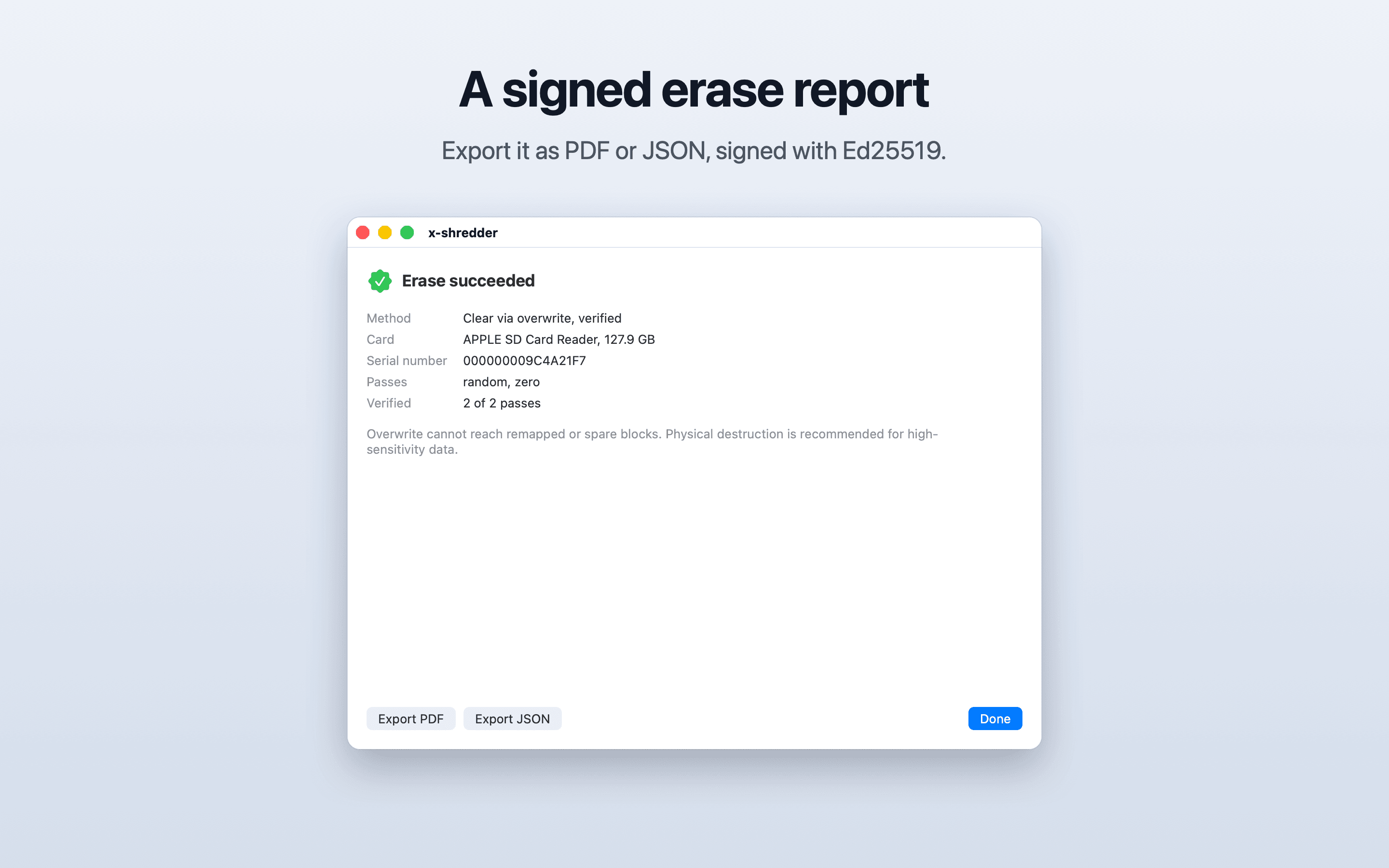
A macOS app that erases an SD card by overwriting all of it and then reading all of it back to check. The method is NIST 800-88 “Clear” via overwrite, and the app reports it as exactly that. It produces a signed erase report.
macOS 13+
Apple silicon only
NIST 800-88
Clear via overwrite
Verified
Every pass read back
Ed25519
Signed erase report
SwiftUI
Native app + helper
MIT licensed
Build it yourself
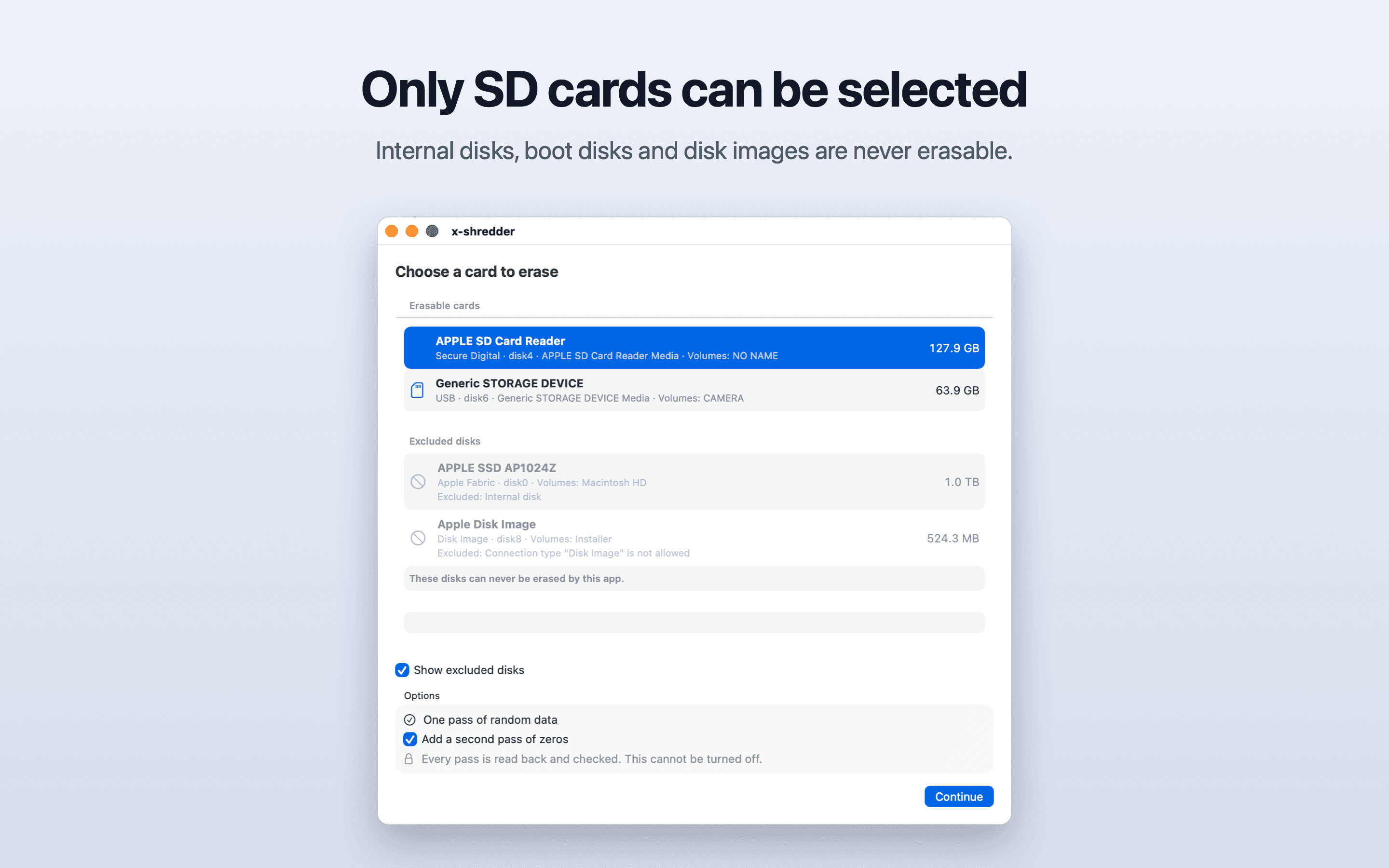
The app never erases internal disks, boot disks, disk images or network volumes. This is a hard rule, not a setting.
How it works
Internal disks are off limits
Internal-disk protection is enforced in three independent layers. DiskGuard is the only code that decides if a disk is selectable, and it runs in both the app and the helper.
The app never touches a raw device. It sends the privileged helper a BSD name and nothing else.
Eligibility rules (DiskGuard)
A disk is selectable only if every rule passes: whole disk, not internal (except the built-in SD card slot), not virtual or a disk image, not the boot disk or behind a mounted system container, removable or ejectable, protocol in the allowlist (USB, Secure Digital), at most 2 TB, writable. Any value that cannot be read counts as a failure.
UI
Only eligible disks can be selected. Excluded disks can be shown greyed out with the reason. There is no override.
Helper
Accepts only a BSD name from a caller signed by the same team with the app’s bundle ID. It re-runs DiskGuard on fresh data, captures an identity fingerprint, unmounts, opens the device exclusively, checks the fingerprint again, and aborts if the device ever resolves to the boot disk or an internal disk during the erase.
Screenshots
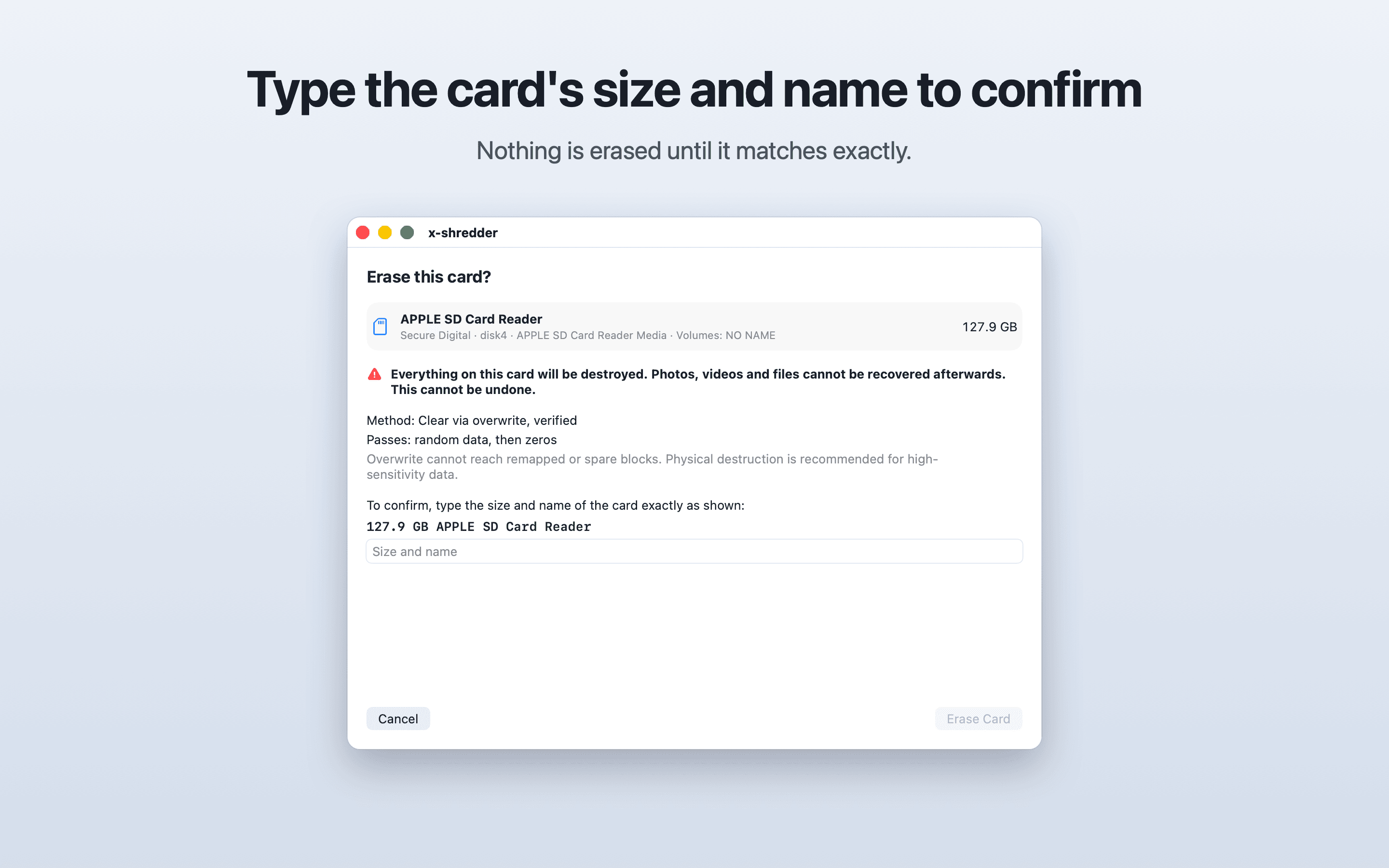
Pick, confirm, erase, report
Feature set
What’s in the app
Erase
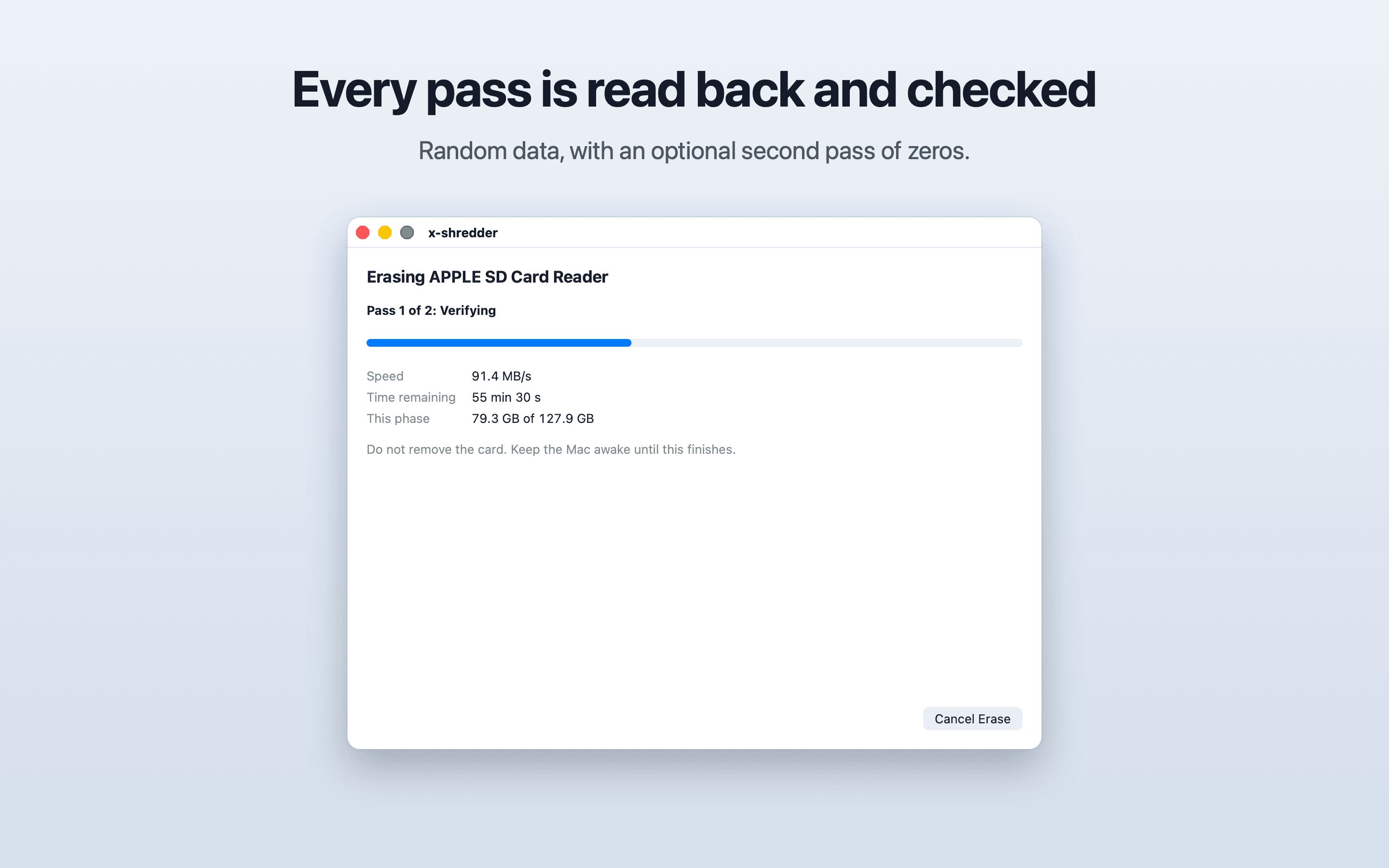
- •Pass 1 writes AES-CTR random data across the whole card and reads it all back. This also detects fake-capacity cards.
- •An optional second pass writes zeros and reads them back
- •Verification cannot be turned off
- •Writes are retried 3 times, then the erase fails
- •Progress is checkpointed so an interrupted erase can resume. A cancelled, failed or interrupted run is never reported as a success.
Report
- •JSON and PDF, signed with Ed25519
- •Includes the tool version, date and time, device model, size, serial if available, passes, verification result, errors and the method label
- •States the limits of overwrite: remapped and spare blocks cannot be reached, and physical destruction is recommended for high-sensitivity data
Supported cards
- •SD cards in the Mac’s built-in SD card slot or a USB card reader
- •The built-in slot is reported by macOS as internal. It is allowed only if its protocol is Secure Digital, it is not layered or virtual, and it sits directly under Apple’s SDXC driver. Every other rule still applies.
Architecture
- •App (SwiftUI) runs as the normal user: device list, options, confirmation, progress, report export
- •Helper (launch daemon) runs as root: re-validates the disk, performs the erase, reports progress over XPC
- •Engine, DiskGuard and Report are separate Swift packages
- •The app never touches a raw device. It sends the helper a BSD name (for example disk4) and nothing else.
Getting it
Build it from source
There are no prebuilt downloads. Open the Xcode project signed in with your Apple ID (a free personal team works), select your own team for both the app and the helper targets, build the Release app and move it to /Applications before installing the helper. Requires macOS 13 or later on an Apple silicon Mac. Intel Macs are not supported.
Setting up the helper
- 01Open x-shredder and click "Install Helper".
- 02Open System Settings → General → Login Items. Under "Allow in the Background", turn on x-shredder.
- 03Back in x-shredder, click "Open Full Disk Access" and add x-shredder-helper to the list. Turn it on.
- 04Go back to x-shredder. The notices disappear once the helper is approved and has Full Disk Access.
macOS does not let the helper open the card without Full Disk Access, even though it runs with administrator rights. Without it, erasing fails.
Read the full build guide on GitHubSupport
Do you love this project? Sponsor it!
Your sponsorship pays for x-shredder maintenance and for building new features.